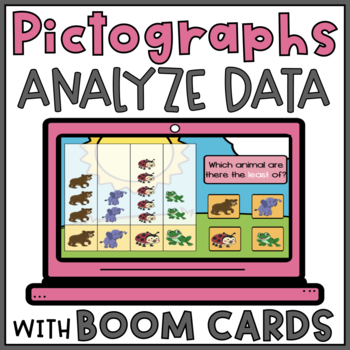
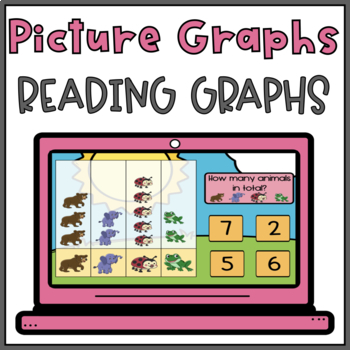
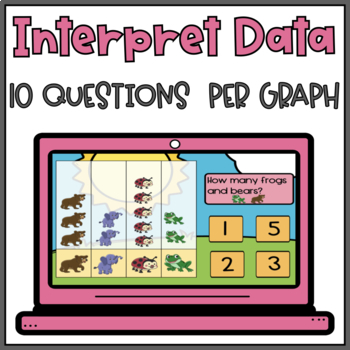
Grab these ready to use, digital, graphing activity to teach your students how to read pictographs in an engaging way. Strengthen their basic graphing skills with this set of picture graphs BOOM cards. Students can practice reading pictographs and interpreting the data with these digital task cards. They will read the pictographs and interpret the data to answer the questions. Make learning about picture graphs fun for your students with these adorable animal-themed pictographs.
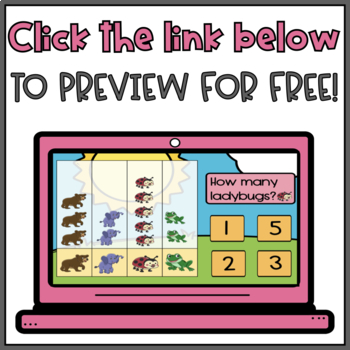
Preview this Pictograph BOOM Card for FREE!
Use this set of Boom Cards to introduce or reinforce graphing skills on how to interpret data on pictographs. Students will read the picture graphs and analyze the data in a fun and interactive way. The data points do not go beyond 7 which alleviates the pressure of having to count large numbers and allows students to focus on the graph and data. This graphing activity can easily be used with students who are still learning to count or in special education classrooms.
Learning objective:
Organize, represent, and interpret data with up to three categories; ask and answer questions about the total number of data points, how many in each category, and how many more or less are in one category than in another.
These pictograph BOOM Cards are perfect to use in the classroom as a math center activity, small group session, or even to be used with the whole class. They also work great for distance learning. Students love the interactive features and getting that immediate feedback after each question. Teachers love it as it keeps the students engaged and it can track students’ performance! Even more, BOOM Cards don’t require any printing, cutting or laminating, and can be used over and over again.
What’s Included In This Pictograph Boom Deck?
What do students have to do?
Assigning and Data Collection
This BOOM deck can be accessed on a computer, smartboard, tablet, or cell phone with an internet connection. Boom Cards give students immediate feedback after each answer is submitted and can collect data for teachers. Boom decks are stored and accessed from the BOOM Learning website. You will need to create a BOOM account and this product CANNOT be downloaded to your computer or a Google drive. BOOM Cards can be printed from the BOOM Learning platform once the deck is purchased. This product is non-editable.
CHECK OUT my other related BOOM Cards:
FOLLOW my store, Quintessential Achievers, by clicking the green star above to hear about my latest products and sales.
*A NOTE FROM BOOM LEARNING*
To use Boom Cards, you must be connected to the Internet. Boom Cards play on modern browsers (Chrome, Safari, Firefox, and Edge). Apps are available for Android, iPads, iPhones, and Kindle Fires. For security and privacy, adults must have a Boom Learning account to use and assign Boom Cards. You will be able to assign the Boom Cards you are buying with Fast Pins, (play provides instant feedback for self-grading Boom Cards). Fast Play is always a free way for students to engage with Boom Cards decks. For additional assignment options, you’ll need a premium account. If you are new to Boom Learning, you will be offered a free trial of our premium account. Read here for details: http://bit.ly/BoomTrial.
You may be eligible for a free trial from Boom Learning. Read here for details: http://bit.ly/BoomTrial. If you choose not to stay on a premium account after your free trial, you will still be able to assign all your Boom Cards to as many students as you see fit using Fast Play pins (which give instant feedback for decks that are self-grading).
$4.50
Grab these ready to use, digital, graphing activity to teach your students how to read pictographs in an engaging way. Strengthen their basic graphing skills with this set of picture graphs BOOM cards. Students can practice reading pictographs and interpreting the data with these digital task cards. They will read the pictographs and interpret the data to answer the questions. Make learning about picture graphs fun for your students with these adorable animal-themed pictographs.
Preview this Pictograph BOOM Card for FREE!
Use this set of Boom Cards to introduce or reinforce graphing skills on how to interpret data on pictographs. Students will read the picture graphs and analyze the data in a fun and interactive way. The data points do not go beyond 7 which alleviates the pressure of having to count large numbers and allows students to focus on the graph and data. This graphing activity can easily be used with students who are still learning to count or in special education classrooms.
Learning objective:
Organize, represent, and interpret data with up to three categories; ask and answer questions about the total number of data points, how many in each category, and how many more or less are in one category than in another.
These pictograph BOOM Cards are perfect to use in the classroom as a math center activity, small group session, or even to be used with the whole class. They also work great for distance learning. Students love the interactive features and getting that immediate feedback after each question. Teachers love it as it keeps the students engaged and it can track students’ performance! Even more, BOOM Cards don’t require any printing, cutting or laminating, and can be used over and over again.
What’s Included In This Pictograph Boom Deck?
What do students have to do?
Assigning and Data Collection
This BOOM deck can be accessed on a computer, smartboard, tablet, or cell phone with an internet connection. Boom Cards give students immediate feedback after each answer is submitted and can collect data for teachers. Boom decks are stored and accessed from the BOOM Learning website. You will need to create a BOOM account and this product CANNOT be downloaded to your computer or a Google drive. BOOM Cards can be printed from the BOOM Learning platform once the deck is purchased. This product is non-editable.
CHECK OUT my other related BOOM Cards:
FOLLOW my store, Quintessential Achievers, by clicking the green star above to hear about my latest products and sales.
*A NOTE FROM BOOM LEARNING*
To use Boom Cards, you must be connected to the Internet. Boom Cards play on modern browsers (Chrome, Safari, Firefox, and Edge). Apps are available for Android, iPads, iPhones, and Kindle Fires. For security and privacy, adults must have a Boom Learning account to use and assign Boom Cards. You will be able to assign the Boom Cards you are buying with Fast Pins, (play provides instant feedback for self-grading Boom Cards). Fast Play is always a free way for students to engage with Boom Cards decks. For additional assignment options, you’ll need a premium account. If you are new to Boom Learning, you will be offered a free trial of our premium account. Read here for details: http://bit.ly/BoomTrial.
You may be eligible for a free trial from Boom Learning. Read here for details: http://bit.ly/BoomTrial. If you choose not to stay on a premium account after your free trial, you will still be able to assign all your Boom Cards to as many students as you see fit using Fast Play pins (which give instant feedback for decks that are self-grading).